Have you ever wanted to create professional conference highlight videos but didn't know where to start? Editing conference highlight videos can seem daunting, but with the right techniques, you can produce high-quality videos that showcase the key moments of your event. In this article, we will provide you with the essential tips and tricks on how to edit conference highlight videos professionally, so you can impress your audience and capture the essence of your conference in a compelling way.
When it comes to editing conference highlight videos, the key is to focus on highlighting the most important moments of the event while keeping the audience engaged. From selecting the best footage to adding transitions and effects, editing conference highlight videos professionally requires attention to detail and creativity. Stay tuned as we guide you through the process of editing conference highlight videos like a pro, so you can create videos that truly stand out. So, are you ready to take your conference highlight videos to the next level? Let's dive in and discover the art of professional video editing!
Expert Tips for Professional Conference Highlight Video Editing
Are you looking to elevate the quality of your conference highlight videos? Editing plays a crucial role in creating a professional and engaging final product. Here are some expert tips to help you edit your conference highlight videos like a pro.

When editing conference highlight videos, it's important to start by organizing your footage. Sort through all the clips and select the best moments that capture the essence of the event. This will make the editing process smoother and more efficient.
Next, focus on creating a compelling narrative for your video. Think about the key messages you want to convey and ensure that the video flows seamlessly from one segment to the next. Adding transitions, music, and graphics can help enhance the overall viewing experience.
Pay attention to the pacing of your video. Keep it engaging by varying the speed of your cuts and incorporating dynamic visuals. This will help maintain the viewer's interest and create a more dynamic and engaging video.
Don't forget to optimize the audio quality of your video. Make sure that the sound is clear and balanced throughout the video. Adding background music or sound effects can also help enhance the overall viewing experience.
Lastly, don't be afraid to experiment and try out different editing techniques. Sometimes, a unique and creative approach can make your conference highlight video stand out from the rest. So, have fun with the editing process and let your creativity shine through!
Enhance Your Conference Highlight Videos with Editing Techniques
Are you looking to take your conference highlight videos to the next level? Editing techniques can make a significant difference in the quality and impact of your videos. By utilizing professional editing skills, you can enhance the visual appeal, storytelling, and overall effectiveness of your conference highlight videos. Here are some tips to help you edit your conference highlight videos like a pro.
Editing is a crucial step in creating compelling conference highlight videos. By using editing techniques effectively, you can elevate the quality of your videos and captivate your audience. Here are some ways to enhance your conference highlight videos through editing:
Master the Art of Editing Conference Highlights Like a Pro
Editing conference highlight videos is a crucial task that requires precision and skill to ensure that the final product is engaging and professional. To master the art of editing conference highlights like a pro, there are a few key tips and techniques to keep in mind.
First and foremost, it is essential to have a clear understanding of the purpose and audience of the conference highlight video. This will help guide your editing decisions and ensure that the final product resonates with viewers. Additionally, paying attention to details such as audio quality, transitions, and pacing can make a significant difference in the overall impact of the video.
When editing conference highlight videos, it is important to focus on creating a cohesive narrative that highlights the key moments and takeaways from the event. This can be achieved through strategic editing choices, such as using b-roll footage, graphics, and music to enhance the storytelling.
Moreover, utilizing editing software tools and techniques effectively can help streamline the editing process and improve the overall quality of the video. This includes mastering techniques such as color correction, audio mixing, and adding visual effects to create a polished and professional final product.
In conclusion, mastering the art of editing conference highlight videos like a pro requires a combination of technical skill, creativity, and attention to detail. By following these tips and techniques, you can create impactful and engaging conference highlight videos that leave a lasting impression on viewers. With practice and dedication, you can elevate your editing skills to the next level and produce high-quality videos that showcase the best moments of any conference. So, start editing like a pro today!
Frequently Asked Question
How to Edit Conference Highlight Videos Professionally
Editing conference highlight videos professionally requires attention to detail and a good eye for storytelling. To start, organize your footage and select the best clips that capture the essence of the event. Use transitions, music, and graphics to enhance the video and keep viewers engaged throughout. Remember to also adjust color correction and audio levels to ensure a polished final product. By following these steps, you can create a compelling conference highlight video that will impress your audience and leave a lasting impression.
Key Elements to Include in Conference Highlight Videos
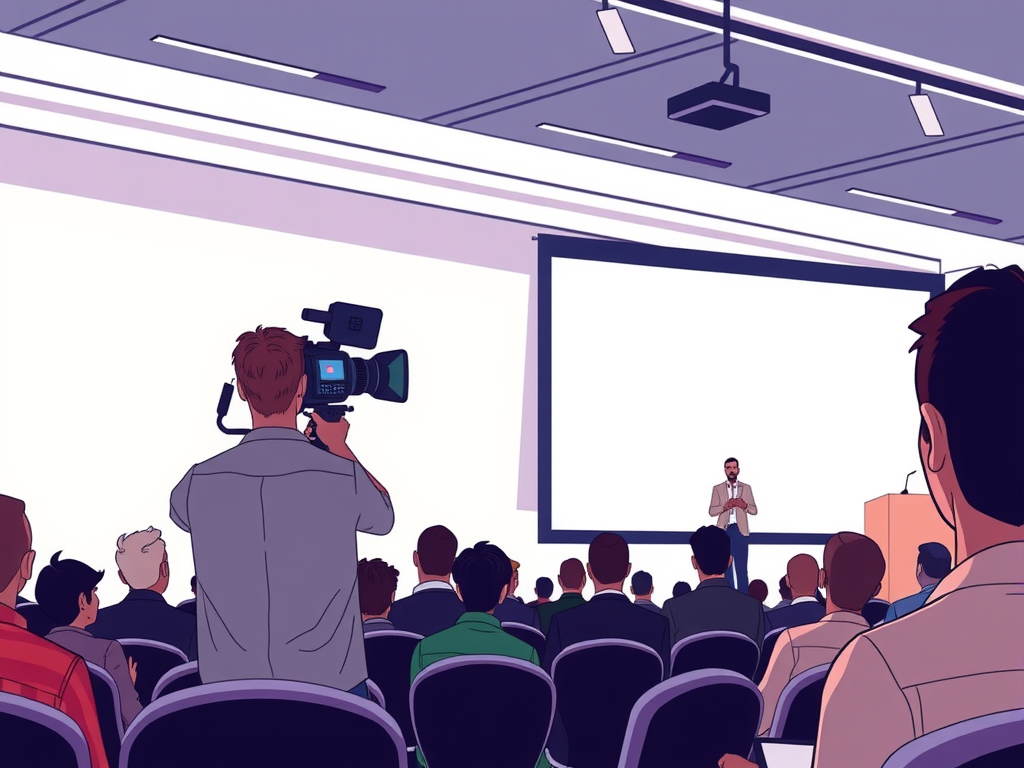
When editing conference highlight videos, it's important to include key elements that will enhance the viewer's experience. These elements may include footage of keynote speakers, panel discussions, networking sessions, and audience reactions. Additionally, consider incorporating interviews with attendees or event organizers to provide context and insights into the conference. By including these key elements, you can create a well-rounded and engaging conference highlight video that captures the essence of the event.
Choosing the Right Editing Software for Conference Highlight Videos
When editing conference highlight videos, choosing the right editing software is crucial to achieving a professional and polished final product. Look for software that offers a wide range of editing tools, such as transitions, effects, and color correction options. Additionally, consider the software's compatibility with your computer system and the ease of use for beginners. Popular editing software options for conference highlight videos include Adobe Premiere Pro, Final Cut Pro, and DaVinci Resolve. By selecting the right editing software, you can streamline your workflow and create high-quality conference highlight videos.
Conclusion
Editing conference highlight videos professionally requires a human touch and a keen eye for detail. By following the tips mentioned in this blog post, you can create engaging and polished videos that highlight the key moments of your conference. Remember to focus on storytelling, pacing, and visual coherence to create a video that captivates your audience. With practice and dedication, you can master the art of editing conference highlight videos and create content that stands out. Happy editing!