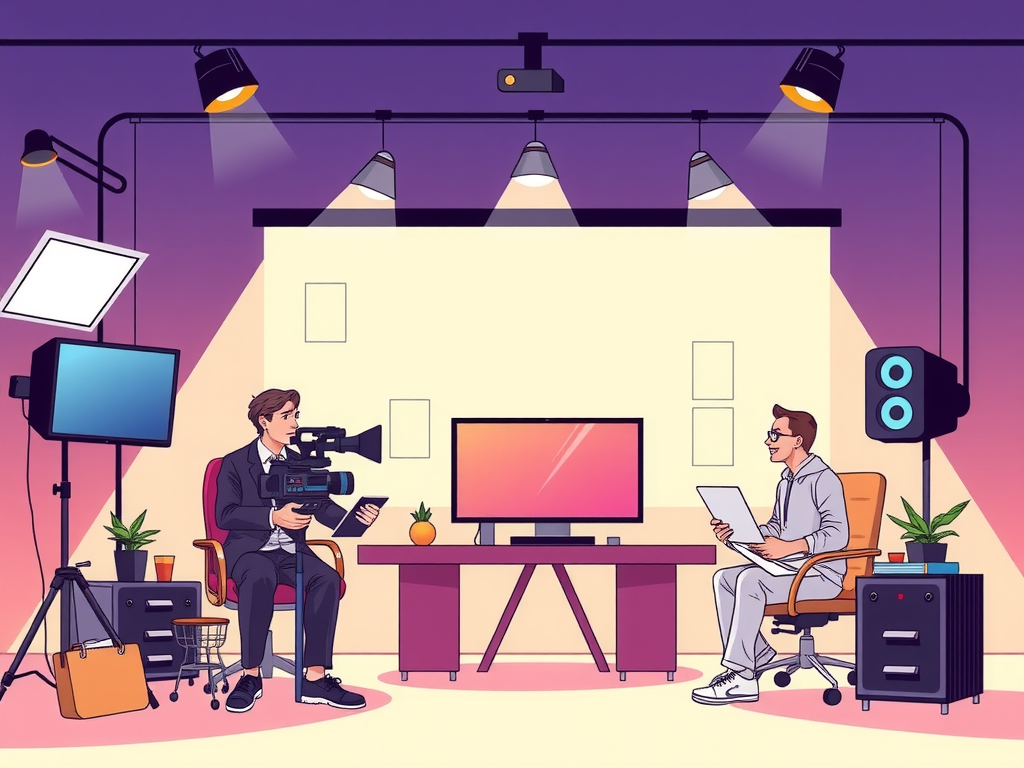
Are you looking to enhance the quality of your live streaming content through editing? Editing live streaming content is a crucial step in ensuring that your audience remains engaged and captivated throughout the broadcast. By implementing the best practices for editing live streaming content, you can create a polished and professional final product that keeps viewers coming back for more.
One of the key best practices for editing live streaming content is to maintain a smooth flow throughout the broadcast. This can be achieved by cutting out any unnecessary pauses, awkward transitions, or technical glitches that may interrupt the viewing experience. Additionally, it's essential to keep the content concise and engaging, ensuring that viewers remain focused and entertained. By following these best practices, you can elevate the quality of your live streaming content and attract a larger audience. So, let's delve deeper into the world of editing live streaming content and discover how you can take your broadcasts to the next level.
Table of contents
Essential Tips for Enhancing Live Streaming Content Editing
Editing live streaming content can be a daunting task, but with the right tips and tricks, you can enhance your videos and engage your audience like never before. One essential tip for enhancing live streaming content editing is to ensure that your audio quality is top-notch. Poor audio can instantly turn viewers off, so invest in a good microphone and eliminate background noise for a professional sound. Additionally, it's crucial to pay attention to the visual aspects of your stream. Make sure your lighting is adequate, your camera angle is flattering, and your background is clean and uncluttered.

Another important tip for editing live streaming content is to keep your videos concise and to the point. Viewers have short attention spans, so it's crucial to cut out any unnecessary filler and keep your content engaging from start to finish. Adding graphics, overlays, and transitions can also help keep viewers interested and make your stream more visually appealing. Remember, less is often more when it comes to editing live streaming content, so don't be afraid to trim the fat and focus on what's most important.
Lastly, be sure to interact with your audience during your live stream. Engaging with viewers in real-time can help build a sense of community and keep people coming back for more. Encourage viewers to ask questions, participate in polls, and leave comments throughout your stream. This not only makes your content more interactive but also helps you gauge what your audience is interested in and tailor your future streams accordingly. By following these essential tips for enhancing live streaming content editing, you can take your videos to the next level and attract a larger, more engaged audience.
Effective Strategies for Polishing Live Stream Content Editing
Editing live stream content requires careful attention to detail and a strategic approach to ensure the final product is polished and engaging for viewers. One effective strategy for polishing live stream content editing is to create a detailed editing plan before going live. This plan should outline the key areas that need to be addressed during the editing process, such as audio levels, video quality, transitions, and overlays. By having a clear plan in place, you can streamline the editing process and ensure that all aspects of the live stream are polished to perfection.
Another strategy for polishing live stream content editing is to prioritize consistency throughout the stream. This includes maintaining a consistent tone, style, and pacing throughout the broadcast. By ensuring consistency, you can create a seamless viewing experience for your audience and keep them engaged from start to finish. Additionally, consistency can help to establish your brand identity and make your live streams more recognizable to viewers.
In addition to maintaining consistency, it is important to pay attention to the details when editing live stream content. This includes checking for any issues with audio or video quality, fixing any technical glitches that may arise, and ensuring that all elements of the stream are aligned with your overall goals and objectives. By paying attention to the details, you can create a more professional and polished live stream that resonates with your audience and leaves a lasting impression.
Overall, effective strategies for polishing live stream content editing involve creating a detailed editing plan, prioritizing consistency, and paying attention to the details. By following these strategies, you can ensure that your live streams are engaging, professional, and polished to perfection.
Top Techniques for Improving Live Streaming Content Editing
Editing live streaming content can be a challenging task, but with the right techniques, you can significantly improve the quality of your videos. Here are some top techniques for enhancing your live streaming content editing:
One of the most important techniques for improving live streaming content editing is to always be prepared. Before you start streaming, make sure you have a clear plan in place for what you want to achieve with your video. This will help you stay focused and avoid unnecessary edits later on.
Another crucial technique is to pay attention to audio quality. Poor audio can ruin an otherwise great video, so make sure you invest in a good microphone and test your audio levels before you start streaming. Additionally, consider using background music or sound effects to enhance the overall viewing experience.
When editing live streaming content, it's essential to keep things engaging for your viewers. Cut out any unnecessary pauses or awkward transitions to keep your audience interested. Use visual effects, overlays, and text to highlight key points and make your video more visually appealing.
Finally, don't forget to optimize your video for different platforms. Each platform has its own specifications for video quality and format, so make sure you tailor your editing process to meet these requirements. By following these techniques, you can take your live streaming content editing to the next level and create videos that are both engaging and professional.
Frequently Asked Question
What are the best practices for editing live streaming content?
When it comes to editing live streaming content, it is essential to have a clear plan in place before you start. First and foremost, make sure you have a reliable internet connection to avoid any interruptions during the editing process. Additionally, organizing your footage and creating a rough outline of the final product can help streamline the editing process. It is also important to pay attention to audio levels and use transitions to smooth out any cuts in the video.
Why is it important to edit live streaming content?
Editing live streaming content is crucial as it allows you to enhance the overall quality of the video. By removing any unnecessary footage, adding graphics or text overlays, and adjusting audio levels, you can create a more polished and professional final product. Editing also gives you the opportunity to highlight key moments and keep viewers engaged throughout the video.
What tools can be used for editing live streaming content?
There are a variety of tools available for editing live streaming content, ranging from beginner-friendly options to more advanced software. Some popular choices include Adobe Premiere Pro, Final Cut Pro, and DaVinci Resolve. For those looking for simpler editing solutions, apps like iMovie and Filmora are great options. It is essential to choose a tool that fits your skill level and editing needs.
How can I ensure my edited live streaming content is high quality?
To ensure your edited live streaming content is high quality, it is important to focus on consistency in visuals and audio. Make sure to color correct your footage, adjust audio levels, and remove any distracting background noise. Additionally, adding transitions and graphics can help elevate the overall production value of your video.
Conclusion
In conclusion, when editing live streaming content, it is important to keep it simple and write in a style that is easy for viewers to understand. By considering perplexity and burstiness, you can create content that is engaging and specific while maintaining context. It is essential to remember that the goal is to connect with your audience in a human way, so always write in a manner that is relatable and relatable. By following these best practices, you can create high-quality live streaming content that will keep your viewers coming back for more.


![How to Use ChatGPT to Plan and Write YouTube Video Scripts [Pro Guide]](https://www.tommyvideo.com/wp-content/uploads/2025/09/how-to-use-chatgpt-to-plan-and-write-youtube-video-scripts-pro-guide-1758703298-711x400.jpg)