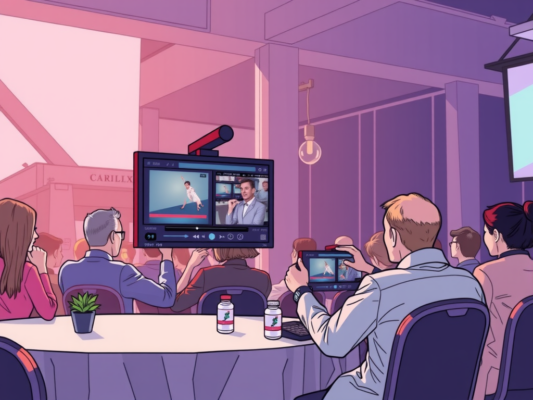
Editing live event recap videos can be a daunting task, but with the right tools and techniques, you can create professional-looking content that will keep your audience engaged. From selecting the best footage to adding effects and transitions, there are several steps involved in the editing process. In this article, we will explore how to edit live event recap videos in a way that is both efficient and effective.
Whether you are a seasoned video editor or just starting out, this guide will provide you with the tips and tricks you need to produce high-quality recap videos that will captivate your viewers. By following these simple steps, you can take your video editing skills to the next level and create content that stands out from the competition. So, grab your editing software and let's get started!
Expert Tips for Editing Live Event Recap Videos
Editing live event recap videos can be a challenging task, but with the right tips and tricks, you can create a polished and engaging final product. One expert tip for editing live event recap videos is to start by organizing your footage. Sorting through your footage and creating a rough outline of the key moments will help streamline the editing process. Another important tip is to focus on storytelling. Highlighting the most exciting and impactful moments of the event will keep viewers engaged and entertained. Additionally, don't forget to pay attention to audio quality. Ensure that the audio is clear and balanced, as poor audio can distract from the overall viewing experience. Finally, adding graphics and text overlays can enhance the visual appeal of your recap video and help emphasize key points. By following these expert tips, you can create a professional and captivating live event recap video that will leave a lasting impression on your audience.

Enhance Your Live Event Recap Videos with These Editing Techniques
Are you looking to take your live event recap videos to the next level? Enhancing your videos with the right editing techniques can make a huge difference in engaging your audience and creating a professional-looking final product. One key technique to consider is adding dynamic transitions between clips to keep viewers interested and seamlessly guide them through the video. By incorporating music or sound effects, you can also set the tone and create a more immersive experience for your audience. Don't forget to use text overlays to highlight key moments or information, making it easier for viewers to follow along and stay engaged.
The Ultimate Guide to Editing Live Event Recap Videos like a Pro
So, you've just finished filming a live event, and now it's time to edit the recap video like a pro. Editing a live event recap video can be a daunting task, but with the right techniques and tools, you can create a professional-looking video that captures the essence of the event. Here are some tips to help you edit your live event recap videos like a pro:
– Start by organizing your footage: Before you begin editing, make sure to organize your footage in a way that makes it easy to find the clips you need.
– Focus on storytelling: When editing a live event recap video, focus on telling a story that captures the highlights of the event and engages your audience.
– Use music and sound effects: Adding music and sound effects can help set the tone for your video and enhance the viewer's experience.
– Keep it concise: While it's important to include all the key moments from the event, try to keep your video concise and to the point.
– Add graphics and text: Use graphics and text to highlight key information or add context to your video.
– Review and revise: Once you've finished editing your live event recap video, be sure to review it and make any necessary revisions before sharing it with your audience.
With these tips in mind, you'll be able to edit your live event recap videos like a pro and create engaging content that showcases the best moments from your event. Happy editing!
Frequently Asked Question
How to Edit Live Event Recap Videos
Editing live event recap videos is a crucial step in ensuring that your content is engaging and visually appealing. To start, gather all the footage from the event and organize it in a way that makes sense for the recap. Use editing software to trim down the footage, add transitions, and include any necessary graphics or text overlays. Pay attention to the pacing of the video to keep viewers engaged, and don't forget to include highlights and key moments from the event. Once you're happy with the edit, export the video in a high-quality format for sharing on your website or social media channels.
Tips for Editing Live Event Recap Videos
When editing live event recap videos, it's important to focus on storytelling and capturing the essence of the event. Be selective with the footage you include, choosing the most impactful moments that will resonate with your audience. Use music and sound effects to enhance the overall viewing experience, and pay attention to details such as color correction and audio levels. Don't be afraid to experiment with different editing techniques to make your video stand out from the rest.
Common Mistakes to Avoid When Editing Live Event Recap Videos
One common mistake when editing live event recap videos is including too much footage, which can lead to a loss of viewer interest. Make sure to keep the video concise and focused on the most important moments from the event. Another mistake is neglecting the audio quality of the video, which can detract from the overall viewing experience. Always use high-quality audio equipment and ensure that the levels are balanced throughout the video.
Conclusion
In conclusion, when editing live event recap videos, it is important to write in a style that is human-like and engaging for the audience. By focusing on simplicity and easy-to-understand language, you can effectively convey the main thoughts and key moments of the event. Remember to consider the elements of perplexity and burstiness in your content creation, while still maintaining specificity and context. By following these tips, you can create recap videos that are both informative and entertaining for your viewers.