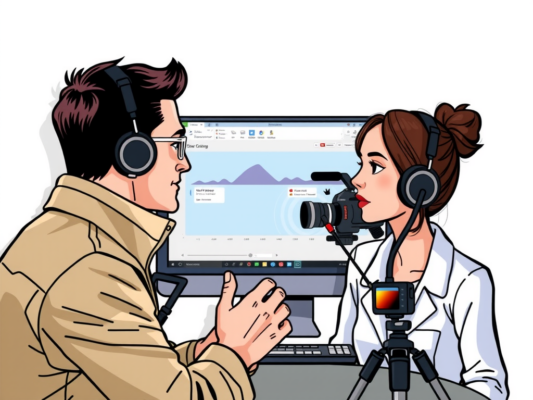
Are you looking to create powerful and impactful nonprofit awareness videos? Editing plays a crucial role in ensuring that your message is delivered effectively. In this article, we will discuss how to edit nonprofit awareness videos professionally, helping you to connect with your audience and inspire action.
To edit nonprofit awareness videos professionally, it is important to focus on storytelling, utilizing appropriate visuals and sound effects, and maintaining a consistent tone throughout the video. By following these tips, you can create compelling videos that effectively convey your message and drive engagement. Stay tuned to learn more about the best practices for editing nonprofit awareness videos!
Enhance Your Nonprofit Awareness Videos with Professional Editing Techniques
Are you looking to enhance your nonprofit awareness videos with professional editing techniques? Editing plays a crucial role in creating impactful and engaging videos that can effectively convey your message to your audience. By employing the right editing techniques, you can make your videos more visually appealing, engaging, and memorable.

One key aspect of professional video editing is ensuring that your videos are well-structured and easy to follow. This includes organizing your footage in a logical sequence, cutting out any unnecessary content, and ensuring a smooth flow from one scene to another. By maintaining a clear and concise structure, you can keep your viewers engaged and focused on the message you are trying to convey.
Another important editing technique is color correction and grading. Color plays a significant role in setting the mood and tone of your videos. By adjusting the colors and tones in your footage, you can create a more cohesive and visually appealing look that captures the attention of your audience. Whether you are looking to create a warm and inviting atmosphere or a bold and dynamic feel, color correction and grading can help you achieve the desired effect.
Adding visual effects and graphics can also take your nonprofit awareness videos to the next level. Whether it's adding text overlays, transitions, or animations, these elements can help enhance the visual appeal of your videos and make them more engaging and professional. By incorporating these effects strategically, you can create a more immersive and memorable viewing experience for your audience.
In conclusion, professional editing techniques can make a significant difference in the quality and impact of your nonprofit awareness videos. By paying attention to details such as structure, color, and visual effects, you can create videos that effectively convey your message and resonate with your audience. So, don't underestimate the power of editing – it can truly elevate your videos to the next level.
Maximize Impact: Expert Tips for Editing Nonprofit Awareness Videos
Are you looking to make a bigger impact with your nonprofit awareness videos? Editing plays a crucial role in creating compelling and professional-looking content that resonates with your audience. Here are some expert tips to help you maximize the impact of your nonprofit videos through the editing process:
When editing nonprofit awareness videos, it's essential to start with a clear vision of your message and goals. Define the purpose of the video and the emotions you want to evoke in your viewers. This will guide your editing process and help you create a cohesive and impactful story that connects with your audience on a deeper level.
One of the key elements of professional video editing is maintaining a consistent tone and style throughout the video. This includes using color grading, transitions, and visual effects that complement the overall message of your nonprofit. Consistency in editing will help keep viewers engaged and focused on the message you are trying to convey.
Another important aspect of editing nonprofit videos is keeping the content concise and to the point. Cut out any unnecessary footage or information that does not directly support your message. Remember that viewers have short attention spans, so it's crucial to grab their attention from the start and keep them engaged until the end.
In addition to editing for content, it's also important to pay attention to audio quality. Poor audio can distract viewers from your message and diminish the overall impact of your video. Make sure to use high-quality microphones and audio editing tools to ensure that the sound in your videos is clear and professional.
By following these expert tips for editing nonprofit awareness videos, you can create content that is not only visually appealing but also emotionally impactful. Remember to stay true to your organization's mission and goals, and use editing as a tool to amplify your message and inspire action. With the right editing techniques, you can effectively engage your audience and make a lasting impression. So, start editing your nonprofit videos like a pro and watch your impact grow!
Elevate Your Cause: The Art of Professional Editing for Nonprofit Videos
Creating professional and engaging nonprofit awareness videos is essential for effectively promoting your cause and reaching a wider audience. One crucial aspect of creating impactful videos is through professional editing. By mastering the art of editing, you can elevate your nonprofit videos to a whole new level, capturing the attention of viewers and inspiring them to take action in support of your cause.
Professional editing for nonprofit videos involves more than just cutting and splicing footage together. It requires a keen eye for detail, a deep understanding of storytelling techniques, and the ability to evoke emotion and empathy in viewers. By following some key principles and best practices, you can ensure that your videos are polished, professional, and highly effective in conveying your message.
Here are some tips to help you edit nonprofit awareness videos professionally:
– Keep it concise: Cut out any unnecessary footage or information to keep your video focused and engaging.
– Use music and sound effects strategically: Music and sound effects can enhance the emotional impact of your video, so choose them carefully.
– Pay attention to pacing: Make sure your video flows smoothly and keeps viewers engaged from start to finish.
– Add text overlays: Use text overlays to highlight key points or call-to-action messages throughout your video.
– Test your video with a focus group: Before finalizing your edit, gather feedback from a small group of viewers to ensure your message is clear and impactful.
By incorporating these tips into your editing process, you can create professional nonprofit awareness videos that effectively communicate your message and inspire action. Elevate your cause through the art of professional editing and make a lasting impact on your audience.
Frequently Asked Question
How to Edit Nonprofit Awareness Videos Professionally
Editing nonprofit awareness videos professionally can make a significant impact on your organization's message. To start, ensure you have high-quality footage that clearly conveys your cause. Use editing software like Adobe Premiere or Final Cut Pro to cut clips, add transitions, and include impactful text overlays. Pay attention to audio quality and consider adding background music to enhance the emotional impact of your video.
Tips for Creating Engaging Visual Content
When editing nonprofit awareness videos, focus on creating visually compelling content that captivates your audience. Use a variety of shots, including close-ups and wide angles, to keep viewers engaged. Incorporate graphics, animations, and color correction to make your video visually appealing. Don't forget to include a strong call-to-action at the end of the video to encourage viewers to take action.
Collaborating with Design Professionals
If you're not confident in your editing skills, consider collaborating with design professionals to create a polished nonprofit awareness video. Designers can help you create custom graphics, animations, and visual effects to make your video stand out. Be sure to communicate your organization's message and goals clearly to ensure the final product aligns with your mission.
Measuring the Impact of Your Video
After editing and sharing your nonprofit awareness video, it's essential to measure its impact to determine its effectiveness. Use analytics tools like Google Analytics or YouTube Insights to track views, engagement, and conversions. Monitor comments and feedback to gauge audience response and make adjustments for future videos. Remember to share your video on social media and encourage supporters to share it with their networks to maximize its reach.
Conclusion
Editing nonprofit awareness videos professionally requires attention to detail and a human touch. By following these tips and tricks, you can create impactful videos that effectively convey your message and resonate with your audience. Remember to keep it simple, stay true to your organization's mission, and let your passion shine through in every frame. With practice and dedication, you can elevate your video editing skills and make a difference in the world. So go ahead, pick up your camera and start editing with style!