Are you looking to streamline your editing process for multi-camera corporate events? Look no further! In this article, we will discuss the best editing workflows that will help you save time and produce high-quality videos that will impress your clients. From organizing your footage to applying color correction and audio enhancements, we've got you covered with expert tips and techniques.
Whether you're a seasoned professional or just starting out, having a solid editing workflow can make all the difference in the final product. So, grab your favorite editing software and let's dive into the best practices for editing multi-camera corporate events. Trust us, you won't want to miss out on these valuable insights!
Streamlining Editing Processes for Multi-Camera Corporate Events
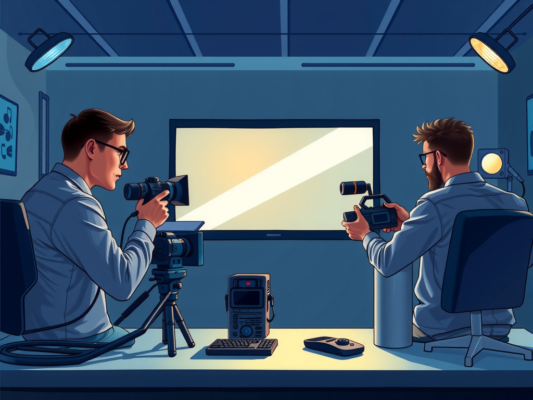
Having a streamlined editing process is crucial when it comes to handling multi-camera corporate events. With multiple angles and shots to work with, it's important to have a clear workflow in place to ensure efficiency and consistency in the final product. One way to streamline the editing process for multi-camera corporate events is to use a professional editing software that supports multi-camera editing capabilities. This allows you to easily switch between different camera angles and shots, making the editing process much smoother and more efficient.

Another way to streamline the editing process is to create a detailed shot list or storyboard before the event takes place. This can help you plan out the shots you want to capture from each camera angle, making it easier to organize and edit the footage later on. Additionally, using a cloud-based storage solution can help you easily access and share footage with your team, making collaboration and feedback much easier.
In addition to these tips, it's also important to stay organized throughout the editing process. Creating a folder structure for your footage, labeling clips clearly, and using markers or notes to keep track of important moments can help you stay on track and ensure you don't miss any key shots or moments during the editing process. By following these tips, you can streamline your editing workflow for multi-camera corporate events and create a professional and polished final product.
Efficient Editing Techniques for Corporate Event Videography
Editing corporate event videos requires a strategic approach to ensure a smooth and efficient workflow. One key technique to streamline the editing process is to organize your footage properly. By labeling and categorizing clips based on camera angles, timestamps, or specific moments, you can easily navigate through the material and find the shots you need. Another effective editing technique is to create a rough cut first, focusing on assembling the basic structure of the video before refining the details. This allows you to get a sense of the overall flow and pacing of the event coverage, making it easier to make adjustments later on.
Maximizing Productivity with Multi-Camera Editing Workflows
When it comes to maximizing productivity with multi-camera editing workflows for corporate events, there are several key strategies to keep in mind. One of the most important aspects is ensuring that your editing process is streamlined and efficient, allowing you to work quickly and accurately to deliver high-quality results. By following best practices and utilizing the right tools, you can make the most of your editing time and produce professional videos that showcase your event in the best possible light.
One effective way to enhance your editing workflow for multi-camera corporate events is to establish a clear organizational system for your footage. This can involve labeling and categorizing clips, creating folders for different cameras or angles, and developing a consistent naming convention. By keeping your files organized and easily accessible, you can save time searching for specific shots and streamline the editing process.
Another important aspect of maximizing productivity with multi-camera editing workflows is to utilize editing software that is specifically designed for handling multiple camera angles. Programs like Adobe Premiere Pro and Final Cut Pro X offer features that make it easy to sync and switch between different camera feeds, allowing you to create a seamless final product. By familiarizing yourself with these tools and techniques, you can work more efficiently and produce polished videos that meet your clients' needs.
Frequently Asked Question
What are the best editing workflows for multi-camera corporate events?
When it comes to editing multi-camera corporate events, it is essential to have a structured workflow in place to streamline the process. One of the best approaches is to start by organizing all the footage from each camera angle into separate folders. This will make it easier to access and work with the different shots during the editing process. Additionally, using a professional editing software like Adobe Premiere Pro or Final Cut Pro can help you to seamlessly switch between camera angles and create a cohesive final product. Editing workflows for multi-camera corporate events should prioritize efficiency and quality to ensure a polished end result.
Why is it important to have a well-defined editing workflow for multi-camera corporate events?
Having a well-defined editing workflow for multi-camera corporate events is crucial for maintaining consistency and efficiency throughout the editing process. A structured workflow helps to keep track of all the different camera angles and shots, making it easier to piece together a cohesive narrative. By following a clear editing workflow, editors can save time and ensure that the final product meets the high standards expected for corporate events.
What are some tips for optimizing editing workflows for multi-camera corporate events?
One tip for optimizing editing workflows for multi-camera corporate events is to communicate effectively with the event videographers to ensure that all footage is properly labeled and organized. Additionally, utilizing tools like multicam editing features in editing software can help streamline the process of syncing and switching between different camera angles. Another helpful tip is to create a storyboard or shot list before starting the editing process to have a clear vision of how the final video should look. By implementing these optimization tips, editors can enhance their efficiency and effectiveness when editing multi-camera corporate events.
Conclusion
In conclusion, when it comes to editing workflows for multi-camera corporate events, it is essential to prioritize efficiency and organization. By following a structured process, such as the one outlined in this blog post, editors can effectively manage multiple camera angles and footage to create a cohesive and professional end product. By implementing these best practices and writing in a clear and concise style, editors can streamline their workflow and produce high-quality videos that effectively capture the essence of the event.