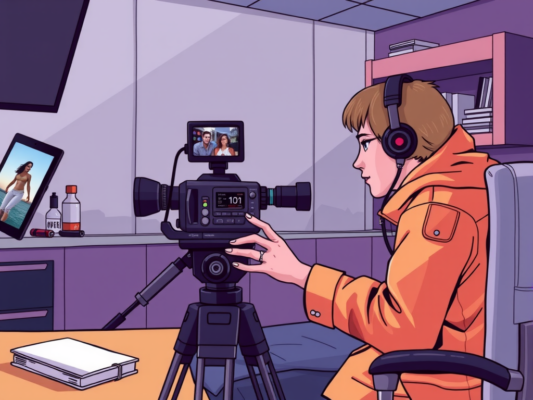
Are you looking to streamline your editing process for multi-camera shoots? Look no further than the best editing workflows that can help you save time and produce high-quality results. With the right techniques and tools, you can efficiently edit footage from multiple cameras to create a seamless and professional final product. In this article, we will explore some of the top editing workflows for multi-camera shoots, giving you the guidance you need to take your editing skills to the next level.
Whether you are a beginner or a seasoned professional, mastering the best editing workflows for multi-camera shoots is essential for creating compelling videos. By utilizing the right strategies and software, you can easily synchronize and switch between multiple camera angles to create dynamic and engaging content. Stay tuned to discover the most effective editing workflows that will help you maximize your efficiency and creativity in post-production. Let's dive in and unlock the secrets to successful multi-camera editing!
Streamlining Editing Processes for Multi-Camera Shoots
Streamlining editing processes for multi-camera shoots is essential for ensuring a smooth and efficient workflow. One key tip is to organize your footage before starting the editing process. This can involve labeling each camera angle and syncing them up to make it easier to switch between shots seamlessly. Additionally, creating a storyboard or shot list can help you plan out the sequence of shots and transitions, saving time during the editing process. By planning ahead and staying organized, you can streamline your editing workflow and create a cohesive final product that meets your vision.

Another important aspect of editing multi-camera shoots is utilizing keyboard shortcuts and presets to speed up the editing process. By assigning shortcuts to commonly used tools and actions, you can save time and work more efficiently. Additionally, creating presets for color grading and audio adjustments can help maintain consistency across different camera angles. Investing time in setting up these shortcuts and presets upfront can lead to significant time savings in the long run.
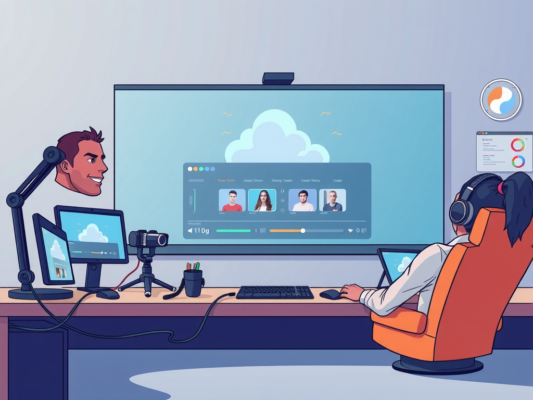
Collaboration is key when it comes to editing multi-camera shoots. Working with a team can help divide the workload and ensure that the editing process runs smoothly. By communicating effectively with your team members and sharing files through a cloud-based platform, you can work together seamlessly on the same project. Collaboration tools such as shared timelines and project management software can help keep everyone on the same page and streamline the editing process. By working together, you can achieve a cohesive final product that exceeds expectations.
Enhancing Efficiency: Editing Workflows for Multi-Camera Productions
Editing multi-camera shoots can be a complex and time-consuming process, but with the right workflow in place, efficiency can be greatly enhanced. One key strategy for improving editing workflows for multi-camera productions is to organize and label footage meticulously. By clearly naming and categorizing clips based on camera angle, shot type, or scene, editors can quickly locate and select the best shots for each moment in the timeline. This approach can streamline the editing process and eliminate the need to sift through hours of footage to find the right shot.
Another essential element of an efficient editing workflow for multi-camera shoots is to synchronize all camera angles before beginning the editing process. This can be done using software tools that automatically align the audio and video tracks from each camera, ensuring that all footage is perfectly in sync. By syncing the footage upfront, editors can easily switch between camera angles during the editing process without having to manually align clips each time. This not only saves time but also allows for more creative freedom in the editing process.
In addition to organizing and syncing footage, editors can further enhance efficiency by creating a clear and structured timeline. By laying out the sequence of shots in a logical order and using markers to indicate important moments or transitions, editors can easily navigate the timeline and make quick adjustments as needed. This can help streamline the editing process and ensure that the final product is cohesive and engaging for viewers. Overall, by implementing these strategies and best practices, editors can improve their workflow for multi-camera shoots and deliver high-quality content in less time.
Maximizing Productivity: Best Practices for Editing Multi-Camera Footage
Editing multi-camera footage can be a challenging task, but with the right workflow in place, you can maximize your productivity and create a seamless final product. One of the best practices for editing multi-camera footage is to organize your footage before you begin. This can help you stay organized throughout the editing process and save you time in the long run.
Another important aspect of editing multi-camera footage is syncing your clips. By syncing all of your footage from different cameras, you can easily switch between angles and create a more dynamic and engaging final product. Utilizing software tools like PluralEyes can help streamline this process and save you valuable time.
Color grading is another key step in editing multi-camera footage. By ensuring that all of your clips have a consistent color palette, you can create a more polished and professional-looking final product. This can help tie all of your footage together and create a cohesive visual story for your audience to enjoy.
Frequently Asked Question
What are the Best Editing Workflows for Multi-Camera Shoots?
When it comes to editing workflows for multi-camera shoots, it's essential to have a systematic approach in place. One of the best practices is to synchronize all camera angles using timecode or a clapperboard. This will ensure that all footage is aligned properly and makes the editing process much smoother. Additionally, creating a multicam sequence in your editing software can help you easily switch between camera angles and make edits seamlessly. Using color coding or labeling each camera angle can also help keep track of different shots during the editing process. By following these workflows, you can efficiently handle multi-camera shoots and produce high-quality videos for your audience.
Why is it important to have a structured editing workflow for multi-camera shoots?
Having a structured editing workflow for multi-camera shoots is crucial to ensuring efficiency and consistency in your final video product. By following a systematic approach, you can save time during the editing process and avoid confusion when working with multiple camera angles. A structured workflow also helps maintain the quality and cohesiveness of your video, as it allows you to easily organize and manage the different shots. Whether you are editing a live event, a music video, or a documentary, having a structured editing workflow will help you deliver a polished and professional final product to your audience.
What tools can help streamline the editing process for multi-camera shoots?
There are several tools available that can help streamline the editing process for multi-camera shoots. Editing software like Adobe Premiere Pro, Final Cut Pro, or Avid Media Composer offer features specifically designed for handling multiple camera angles. These software programs allow you to create multicam sequences, synchronize footage, and easily switch between different camera angles. Additionally, plugins and extensions like PluralEyes can automatically sync audio and video from multiple cameras, saving you time and effort during the editing process. By leveraging these tools, you can optimize your workflow for multi-camera shoots and produce high-quality videos efficiently.
Conclusion
Editing multi-camera shoots can be a complex process, but by following the right workflow, it can be made much simpler. By organizing your footage, syncing your cameras, and using the right tools, you can ensure a smooth editing process that results in a polished final product. Whether you're editing a live event, a music video, or a documentary, these tips and techniques can help you streamline your workflow and create professional-looking videos. By following these best practices, you can save time and frustration, allowing you to focus on the creative aspects of editing. So, keep these tips in mind for your next multi-camera project and elevate your editing skills to the next level.