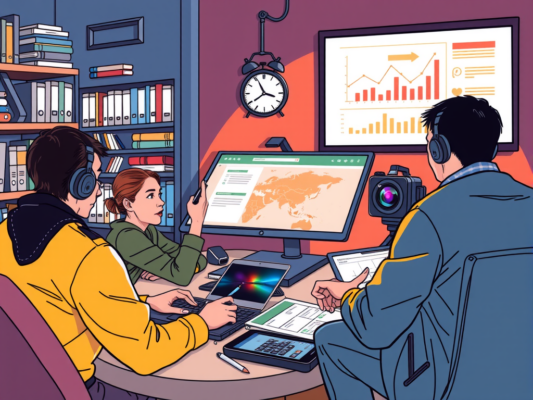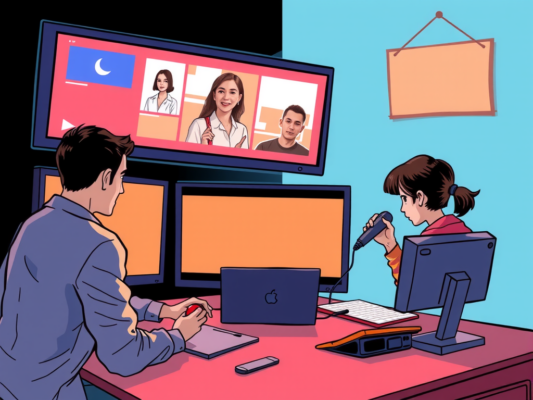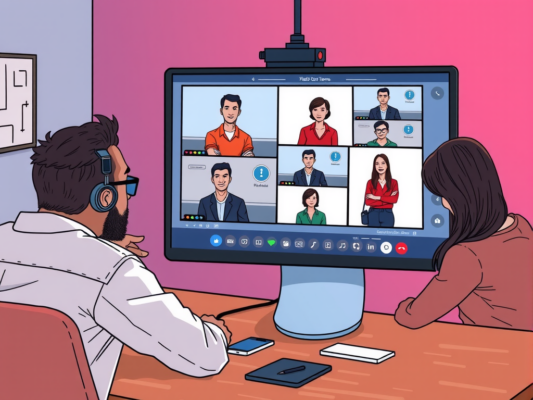
Are you looking for the best tools to enhance multimedia collaboration across teams? Look no further! In today's digital age, effective communication and collaboration are essential for the success of any project. With the right tools in place, teams can easily share files, videos, and images in real-time, ensuring that everyone is on the same page. Whether you're working on a presentation, brainstorming ideas, or editing videos, having access to the right multimedia collaboration tools can make all the difference in the world.
When it comes to choosing the best tools for multimedia collaboration, there are a plethora of options available. From cloud-based platforms to project management tools, the possibilities are endless. In this article, we will explore some of the top tools that can help streamline communication and enhance collaboration across teams. So, if you're ready to take your teamwork to the next level, keep reading to discover the best tools for multimedia collaboration across teams. Unlock the power of seamless communication and collaboration with these innovative tools!
Top Multimedia Collaboration Tools for Seamless Teamwork
In today's digital age, seamless teamwork is crucial for the success of any project. When it comes to multimedia collaboration, having the right tools can make all the difference. Here are some of the top multimedia collaboration tools that can help your team work together efficiently:

One popular tool for multimedia collaboration is Slack. This messaging platform allows team members to communicate in real-time, share files, and even integrate with other tools such as Google Drive and Dropbox. With Slack, team members can easily collaborate on multimedia projects regardless of their physical location.
Another great tool for multimedia collaboration is Trello. This project management tool allows team members to create boards, lists, and cards to organize tasks and track progress. Trello also allows users to attach files, images, and videos to cards, making it easy to collaborate on multimedia projects.
For video conferencing and screen sharing, Zoom is an essential tool for teams working on multimedia projects. With Zoom, team members can hold virtual meetings, share screens, and collaborate in real-time. This tool is especially useful for remote teams who need to work together on multimedia projects.
Overall, having the right multimedia collaboration tools can significantly improve teamwork and productivity. By using tools such as Slack, Trello, and Zoom, teams can collaborate seamlessly on multimedia projects, no matter where they are located.
Enhance Team Collaboration with Multimedia Tools
In today's fast-paced work environment, effective team collaboration is essential for success. With the rise of remote work and global teams, it's more important than ever to have the right tools in place to facilitate communication and productivity. Multimedia tools offer a variety of ways for teams to collaborate, share ideas, and work together seamlessly. Whether it's video conferencing, file sharing, or real-time editing, these tools can help enhance team collaboration and streamline workflows.
One of the key benefits of multimedia tools for team collaboration is the ability to communicate visually. With video conferencing platforms like Zoom or Microsoft Teams, team members can connect face-to-face, no matter where they are located. This can help foster a sense of camaraderie and build stronger relationships among team members. Additionally, tools like Google Drive or Dropbox allow for easy file sharing and collaboration on documents, presentations, and other multimedia content.
Another advantage of multimedia tools is the ability to work on projects in real-time. Platforms like Slack or Trello offer features that allow team members to collaborate on tasks, assign responsibilities, and track progress all in one place. This can help streamline workflows and ensure that everyone is on the same page. Additionally, tools like Canva or Adobe Creative Cloud provide options for teams to create and edit multimedia content together, making the creative process more collaborative and efficient.
Boost Productivity with Best Multimedia Collaboration Tools
Boost productivity with the best multimedia collaboration tools that allow teams to work together seamlessly on projects. These tools make it easy to share files, communicate in real-time, and collaborate on creative projects from anywhere. By using these tools, teams can streamline their workflow, reduce errors, and meet deadlines more efficiently.
Collaboration tools like Google Workspace, Slack, and Microsoft Teams offer a range of features that make it easy to work together on multimedia projects. With these tools, team members can easily share files, give feedback, and communicate in real-time. This helps to reduce the need for back-and-forth emails and ensures that everyone is on the same page.
In addition to file sharing and communication, these tools also offer features like project management, task assignment, and version control. This allows teams to stay organized, track progress, and ensure that projects are completed on time. By using these collaboration tools, teams can improve their workflow, enhance creativity, and boost productivity.
Overall, the best multimedia collaboration tools are essential for any team looking to work together more effectively on creative projects. By using these tools, teams can streamline their workflow, improve communication, and meet deadlines more efficiently. So, why not give them a try and see how they can enhance your team's productivity?
Frequently Asked Question
What are the best tools for multimedia collaboration across teams?
When it comes to collaborating on multimedia projects across teams, there are several tools that can enhance communication and productivity. Collaboration software like Slack, Microsoft Teams, and Google Workspace provide a centralized platform for sharing files, messaging, and scheduling meetings. For multimedia editing and sharing, tools like Adobe Creative Cloud and Canva allow teams to work together on graphics, videos, and other multimedia content. Project management tools such as Trello and Asana also help teams stay organized and on track with deadlines.
How do these tools facilitate collaboration among team members?
These tools facilitate collaboration among team members by providing a centralized platform for communication, file sharing, and project management. With collaboration software like Slack and Microsoft Teams, team members can easily communicate in real-time, share files, and schedule meetings. Multimedia editing tools like Adobe Creative Cloud enable team members to work together on editing graphics and videos simultaneously. Project management tools such as Trello help teams stay organized by assigning tasks, setting deadlines, and tracking progress.
What are the benefits of using multimedia collaboration tools across teams?
The benefits of using multimedia collaboration tools across teams include improved communication, increased productivity, and streamlined workflow. By using collaboration software and multimedia editing tools, team members can easily share ideas, provide feedback, and work together on projects in real-time. This leads to quicker decision-making, faster turnaround times, and a more efficient workflow overall. Additionally, project management tools help teams stay organized and on track with deadlines, ensuring that projects are completed on time and within budget.
Conclusion
In conclusion, when it comes to collaborating across teams on multimedia projects, there are several tools available that can make the process easier and more efficient. By utilizing platforms like Slack, Google Drive, and Trello, teams can communicate effectively, share files seamlessly, and stay organized throughout the entire project. These tools not only help streamline the collaboration process but also improve productivity and enhance teamwork. By choosing the right tools for multimedia collaboration, teams can work together smoothly and achieve their goals successfully. Collaboration tools are essential for modern team workflows, and finding the best ones can significantly impact project outcomes. With the right tools in place, teams can create high-quality multimedia content and deliver outstanding results.