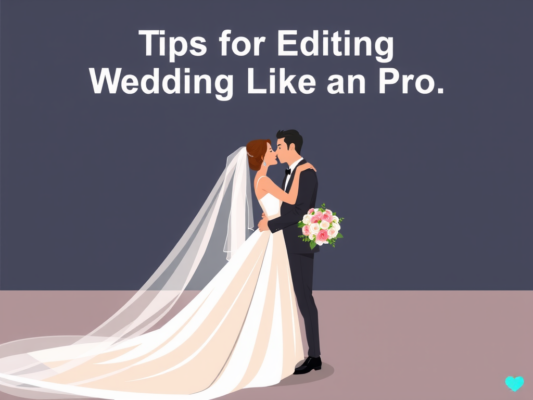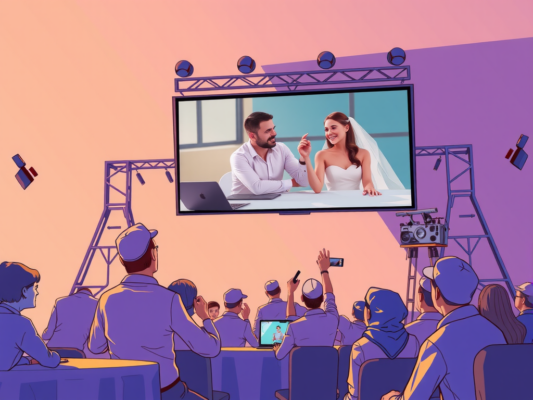
Are you looking to take your wedding videos to the next level? Editing cinematic wedding presentations can be a daunting task, but with the right tips and techniques, you can create stunning, professional-looking videos that capture the magic of the day. From choosing the right music to color grading and seamless transitions, there are plenty of ways to enhance your wedding videos and impress your clients and viewers.
Whether you're a seasoned videographer or just starting out, our guide on how to edit cinematic wedding presentations will provide you with the tools and knowledge you need to create beautiful, captivating videos that will leave a lasting impression. So, grab your editing software and let's dive into the world of cinematic wedding editing. But before we get started, let's answer the burning question – How to Edit Cinematic Wedding Presentations? The key is to focus on storytelling, paying attention to details, and using creative techniques to bring your videos to life. Want to learn more? Keep reading for all the tips and tricks you need to edit cinematic wedding presentations like a pro.
Mastering the Art of Editing Cinematic Wedding Films
Mastering the art of editing cinematic wedding films requires a combination of technical skills and artistic vision. To create a truly stunning wedding presentation, follow these tips:

– Start by organizing your footage: Before diving into the editing process, make sure all your clips are properly labeled and organized. This will make it easier to find the perfect shots when putting together your film.
– Choose the right music: Music plays a crucial role in setting the tone for your wedding film. Select a soundtrack that complements the emotions and atmosphere of the day.
– Focus on storytelling: Every wedding has a unique love story, and your job as an editor is to capture and convey that story through your film. Pay attention to the small details and moments that make the day special.
– Use color grading to enhance the mood: Color grading can have a significant impact on the overall look and feel of your film. Experiment with different color palettes to create the perfect cinematic aesthetic.
– Pay attention to pacing: The pacing of your film can make or break the viewer's experience. Make sure to vary the speed and tempo of your edits to keep things engaging and dynamic.
By following these tips and honing your editing skills, you can create beautiful and cinematic wedding films that will be cherished for years to come. Happy editing!
Essential Tips for Crafting Stunning Wedding Video Presentations
Crafting stunning wedding video presentations requires attention to detail and creativity. To ensure your cinematic wedding video stands out, here are some essential tips to keep in mind:
– Start by selecting high-quality footage that captures the essence of the wedding day. Choose clips that are sharp, clear, and well-lit to create a professional-looking video.
– Pay attention to the flow of the video, ensuring that each scene transitions smoothly into the next. Use transitions and effects sparingly to avoid distracting from the main focus.
– Add a personal touch to the video by including meaningful moments and highlights from the day. This can include intimate moments between the couple, emotional speeches, or candid reactions from guests.
– Choose the right music to set the tone for the video. Select songs that complement the mood of each scene and enhance the overall viewing experience for the audience.
By following these tips, you can create a stunning wedding video presentation that captures the essence of the special day and leaves a lasting impression on the couple and their loved ones. Remember, attention to detail and creativity are key when editing cinematic wedding presentations.
Elevate Your Wedding Video Editing Skills with These Techniques
If you want to take your wedding video editing skills to the next level, there are several techniques that can help you create cinematic and visually stunning presentations. One of the key techniques to elevate your wedding video editing skills is to pay attention to the details. This includes focusing on color correction, audio enhancement, and smooth transitions between shots. By paying attention to these details, you can make your wedding videos more engaging and memorable for the couple and their guests. Another important technique to consider is storytelling. By organizing the footage in a way that tells a compelling story, you can create a wedding video that captures the emotion and essence of the day. Additionally, using music effectively can enhance the mood and emotion of the video, adding an extra layer of depth to the presentation. By incorporating these techniques into your wedding video editing process, you can create cinematic and captivating presentations that will be cherished for years to come.
Frequently Asked Question
How to Edit Cinematic Wedding Presentations
When editing cinematic wedding presentations, it is important to focus on creating a cohesive and emotional story that captures the essence of the couple's special day. Utilize creative transitions, color correction, music selection, and slow motion effects to enhance the overall cinematic feel of the video.
Tips for Editing Wedding Videos
When editing wedding videos, it is essential to organize footage in a logical sequence, cut out unnecessary moments, and focus on key moments such as the vows, first dance, and speeches. Pay attention to audio quality and color grading to ensure a professional finish.
Importance of Storytelling in Wedding Editing
Storytelling is crucial in wedding editing as it helps to create an emotional connection with the viewers and capture the essence of the couple's love story. By highlighting key moments and emotions, you can create a cinematic wedding presentation that will be cherished for years to come.
Conclusion
In conclusion, editing cinematic wedding presentations should be done with a human touch to ensure a personalized and stylish outcome. By following the tips and techniques mentioned in this blog post, you can create a visually stunning and emotionally captivating wedding video that will be cherished for years to come. Remember to keep it simple, yet impactful, and always strive to tell a unique story that reflects the love and joy of the special day. Happy editing!