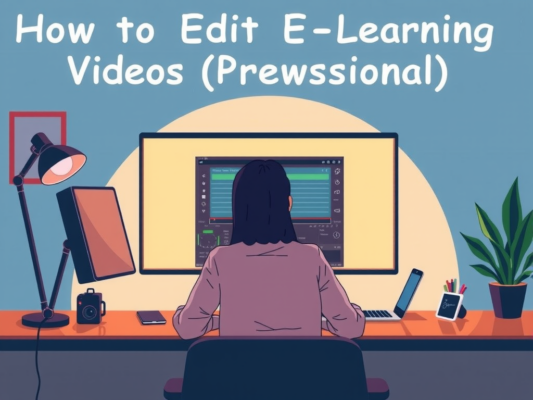
Are you looking to enhance the quality of your online university lecture videos? Editing university lecture videos for online courses can be a daunting task, but with the right approach, it can be a rewarding experience. By incorporating engaging visuals, concise editing, and seamless transitions, you can create a more dynamic and captivating learning experience for your students. In this article, we will explore some tips and tricks on how to edit university lecture videos for online courses, so you can deliver high-quality content that keeps your students engaged and motivated throughout the course.
When it comes to editing university lecture videos for online courses, simplicity is key. Focus on highlighting the most important points of the lecture, removing any unnecessary distractions, and ensuring a smooth flow from one topic to the next. By incorporating relevant graphics, animations, and text overlays, you can create a more engaging and interactive learning experience for your students. Stay tuned as we dive deeper into the world of video editing for online courses and discover how you can take your content to the next level.
Expert Tips for Editing University Lecture Videos
Are you looking to enhance the quality of your online courses by editing university lecture videos? Here are some expert tips to help you streamline the process and create engaging content for your students. When editing university lecture videos for online courses, it is essential to keep the following tips in mind:

– Start by organizing your footage and creating a storyboard to ensure a cohesive structure for your video content.
– Use editing software to enhance the audio quality and visual appeal of your videos, making them more engaging for your audience.
– Cut out any unnecessary or repetitive content to keep your videos concise and focused on the key points of the lecture.
– Add visuals, such as slides or graphics, to reinforce key concepts and keep viewers engaged throughout the video.
– Don't forget to include a call to action at the end of your video, prompting viewers to engage further with the course material or reach out with any questions they may have.
Enhance Online Courses with Professionally Edited Lectures
One of the key elements to enhancing online courses is by professionally editing lectures before uploading them. When university lecture videos for online courses are carefully edited, it can greatly improve the overall learning experience for students. Here are some ways in which you can enhance your online courses with professionally edited lectures:
– Improve video quality: By editing lectures, you can enhance the video quality to ensure that students can clearly see and hear the content being presented.
– Remove distractions: Editing allows you to cut out any unnecessary distractions or interruptions in the video, keeping the focus on the lecture material.
– Add visuals: You can incorporate visuals such as slides, graphics, and animations to help illustrate key points and make the content more engaging.
– Enhance audio: Editing can also help to improve the audio quality of the lecture, ensuring that students can easily hear and understand the instructor.
Overall, professionally editing university lecture videos for online courses can make a significant difference in the effectiveness of the course and the learning experience for students. By taking the time to edit and enhance lectures, you can create a more engaging and interactive online learning environment.
Maximize Engagement: Editing University Lecture Videos for Online Learning
In today's digital age, online learning has become increasingly popular, especially when it comes to university courses. One key aspect of creating engaging online courses is editing university lecture videos. By maximizing engagement through effective video editing, students can fully immerse themselves in the content and enhance their learning experience.
When editing university lecture videos for online courses, it's important to keep the following tips in mind:
– Keep videos concise and focused on key concepts to maintain student interest
– Use visuals, animations, and graphics to enhance understanding and retention of information
– Incorporate interactive elements such as quizzes or discussion prompts to encourage student participation
– Ensure high-quality audio and video to prevent distractions and maintain student engagement throughout the lecture
By following these simple tips, you can create engaging and informative university lecture videos that will keep students motivated and eager to learn. So, next time you're editing a lecture video for an online course, remember to prioritize maximizing engagement for an enhanced learning experience.
Frequently Asked Question
Overview of Editing University Lecture Videos for Online Courses
Editing university lecture videos for online courses is a crucial step in creating engaging and educational content for students. By editing out any unnecessary pauses or mistakes, adding in relevant visuals or animations, and improving the overall flow of the video, instructors can enhance the learning experience for their students.
Benefits of Editing University Lecture Videos for Online Courses
There are numerous benefits to editing university lecture videos for online courses. Editing allows instructors to make their content more engaging and visually appealing, which can help students stay focused and retain information better. Additionally, by editing out any irrelevant or distracting content, instructors can help students stay on track and make the most of their learning experience.
Best Practices for Editing University Lecture Videos
When editing university lecture videos for online courses, it's important to keep a few best practices in mind. Make sure to edit out any unnecessary pauses or mistakes, add in relevant visuals or animations to enhance learning, and maintain a consistent tone and pace throughout the video. Additionally, be sure to optimize the video for online viewing by adding subtitles or captions for accessibility.
Tools and Software for Editing University Lecture Videos
There are several tools and software options available for editing university lecture videos for online courses. Some popular choices include Adobe Premiere Pro, Final Cut Pro, Camtasia, and iMovie. These tools offer a range of features for editing videos, adding effects, and enhancing the overall quality of the content.
Tips for Editing University Lecture Videos Efficiently
To edit university lecture videos efficiently, it's helpful to create a plan or outline before starting the editing process. This can help you stay organized and focused on the key points you want to emphasize in the video. Additionally, consider using keyboard shortcuts and templates to streamline the editing process and save time.
Conclusion
In conclusion, editing university lecture videos for online courses is an important step in ensuring that students have a positive learning experience. By following the tips and guidelines outlined in this blog post, you can create engaging and effective videos that keep students engaged and help them absorb the material. Remember to keep your editing style natural and human-like, and strive for a balance of complexity and clarity in your content. With practice and attention to detail, you can create high-quality videos that enhance the online learning experience for your students.