Are you looking to take your video content to the next level? Look no further than chroma key backgrounds! In this ultimate guide, we'll walk you through everything you need to know about using chroma key backgrounds for video production. Whether you're a beginner or a seasoned pro, you'll find valuable tips and tricks to enhance your videos and captivate your audience.
Chroma key backgrounds, also known as green screens, allow you to replace the background of your video with any image or video footage of your choice. This powerful technique is used in everything from Hollywood blockbusters to YouTube tutorials. In this guide, we'll cover the basics of chroma keying, recommend the best equipment and software, and provide expert tips for achieving professional-looking results. Get ready to elevate your video content and stand out from the crowd! Read on to unlock the full potential of chroma key backgrounds.
Table of contents
Mastering Chroma Key Backgrounds for Seamless Video Production
Mastering chroma key backgrounds for seamless video production is essential for creating professional-looking videos. Chroma key, also known as green screen, allows you to replace the background of your video with any image or video clip, transforming your footage into a dynamic and engaging visual experience. With the right techniques and tools, you can achieve a flawless chroma key effect that will impress your audience and elevate the quality of your videos. By following these tips and tricks, you can master the art of chroma key backgrounds and take your video production to the next level.

Unlocking the Potential of Chroma Key Backgrounds in Video Creation
Unlocking the potential of chroma key backgrounds in video creation can take your content to a whole new level. By using a green screen or other chroma key background, you can easily change the backdrop of your video to any image or video of your choosing. This technique allows for endless creative possibilities and can significantly enhance the visual appeal of your videos.
One of the key benefits of using chroma key backgrounds is the ability to transport your viewers to different locations without ever leaving the studio. Whether you want to place yourself in a tropical paradise, a bustling city street, or even outer space, chroma key technology makes it all possible. This can help to make your videos more engaging and entertaining for your audience.
In addition to changing the background of your videos, chroma key backgrounds can also be used to add visual effects, text, and other elements to your content. By combining different images and videos with your main footage, you can create dynamic and eye-catching visuals that will captivate your viewers. This can help to make your videos more memorable and shareable, ultimately increasing your reach and engagement.
Essential Tips for Using Chroma Key Backgrounds in Your Video Projects
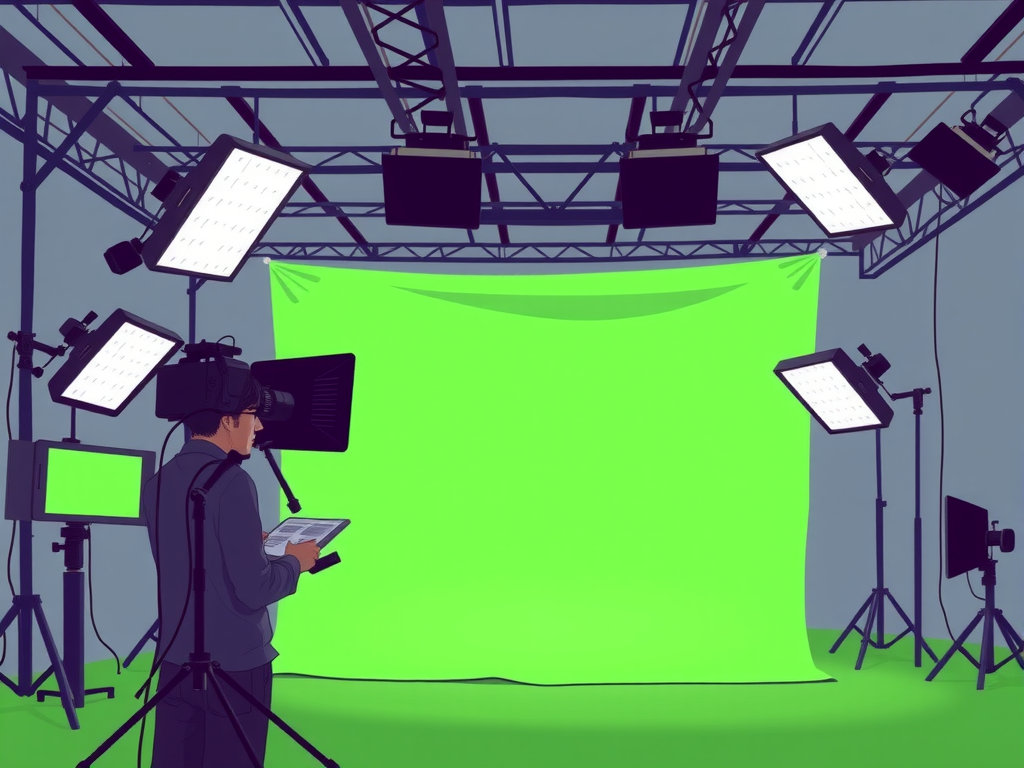
When using chroma key backgrounds in your video projects, there are a few essential tips to keep in mind to ensure a seamless and professional result. Firstly, make sure to use a high-quality green screen or backdrop to avoid any color spill or shadows on your subject. Lighting is also key – ensure that your green screen is evenly lit to create a clean and clear background. Additionally, pay attention to the distance between your subject and the green screen to avoid any spillage onto your subject. Finally, make sure to properly key out the background in your editing software to achieve the desired effect. By following these tips, you can elevate the production value of your videos and create a polished final product.
Frequently Asked Question
What is chroma key background and how does it work?
A chroma key background is a technique used in video production where a specific color (usually green or blue) is replaced with a different background during post-production. This allows filmmakers to place actors or objects in any setting without physically being there.
Why should I use chroma key backgrounds for my videos?
Using chroma key backgrounds can elevate the production value of your videos by creating dynamic and visually appealing scenes. It also allows for creative freedom in designing your video's setting without the limitations of physical locations.
What are the best practices for using chroma key backgrounds?
When using chroma key backgrounds, it's essential to ensure even lighting on the background, use high-quality equipment, and avoid any spillage of the key color onto your subjects. Proper distance between the subject and the background is also crucial for a seamless keying process.
Where can I find high-quality chroma key backgrounds?
You can find a wide range of chroma key backgrounds online, including stock footage websites, video editing software, and specialized green screen studios. Make sure to choose backgrounds that match your video's theme and resolution for the best results.
How can I achieve a professional-looking chroma key effect in my videos?
To achieve a professional-looking chroma key effect in your videos, pay attention to details such as lighting, shadows, and reflections. Use advanced editing tools like spill suppression and color correction to fine-tune your keying process and make the final result seamless and realistic.
Conclusion
In conclusion, using chroma key backgrounds for video can greatly enhance the quality of your content. By following the tips and techniques outlined in this guide, you can create professional-looking videos with ease. Experiment with different colors and lighting to achieve the desired effect, and don't be afraid to get creative. With practice and patience, you'll soon become a master at using chroma key backgrounds to take your videos to the next level. Happy filming!