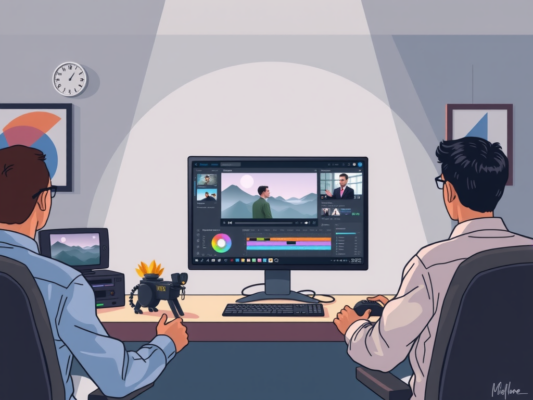
Are you looking to take your video editing skills to the next level? Look no further than these top video editing plugins for Adobe Premiere Pro. These plugins are designed to enhance your editing experience and help you create professional-looking videos with ease. From color correction tools to special effects, these plugins have everything you need to make your videos stand out.
Whether you're a seasoned pro or just starting out, these plugins are sure to take your editing game to the next level. So why wait? Check out our list of the top video editing plugins for Adobe Premiere Pro and start creating amazing videos today!
Table of contents
Enhance Your Editing Process with These Premiere Pro Video Plugins
Looking to take your video editing skills to the next level? Enhance your editing process with these top Premiere Pro video plugins that will streamline your workflow and help you create professional-looking videos in no time. With the right plugins, you can add special effects, improve color grading, and easily edit audio tracks to make your videos stand out. Whether you're a beginner or an experienced editor, these plugins are sure to take your projects to the next level.

From advanced transitions to customizable motion graphics, these Premiere Pro video plugins offer a wide range of features to help you enhance your videos. With easy drag-and-drop functionality, you can quickly add effects and elements to your projects without spending hours tweaking settings. Whether you're editing a short film, a music video, or a promotional video, these plugins will help you achieve the look you want with minimal effort.
Some of the top video editing plugins for Premiere Pro include:
– Red Giant Universe: A collection of over 80 effects and transitions to add flair to your videos
– FilmImpact: Offers a variety of cinematic transitions to make your videos more dynamic
– Boris FX Sapphire: Provides professional-grade effects and tools for advanced editing
– Twixtor: A powerful slow-motion plugin that allows you to create smooth, slow-motion footage
– Magic Bullet Suite: A comprehensive color correction and grading tool to give your videos a polished look
With these Premiere Pro video plugins, you can take your editing skills to the next level and create stunning videos that will impress your audience. Whether you're looking to add special effects, improve your color grading, or enhance your audio tracks, these plugins have you covered. So why wait? Start using these plugins today and see the difference they can make in your editing process.
Boost Your Video Editing Skills with These Premiere Pro Plugins
Are you looking to take your video editing skills to the next level? Look no further than these top Premiere Pro plugins that will help streamline your editing process and add that extra touch of creativity to your projects. With the right plugins at your disposal, you can easily enhance your editing workflow and achieve professional-looking results in no time. Whether you're a beginner or an experienced editor, these plugins are sure to give your videos that wow factor you've been looking for.
Whether you're looking to add stunning visual effects, improve your color grading, or enhance your audio, there's a plugin out there to meet your needs. From time-saving tools to artistic enhancements, these Premiere Pro plugins offer a wide range of features to help you bring your vision to life. With just a few clicks, you can transform your videos into cinematic masterpieces that will impress your audience and take your editing skills to the next level.
Take Your Premiere Pro Editing to the Next Level with These Top Plugins
Are you ready to take your video editing skills to the next level in Adobe Premiere Pro? Look no further than these top plugins that will help you enhance your editing workflow and create stunning visuals. With the help of these plugins, you can easily add special effects, transitions, and other elements to make your videos stand out. Whether you're a beginner or an experienced editor, these plugins are sure to take your projects to new heights. So, let's dive in and explore the amazing possibilities that these plugins have to offer.
Frequently Asked Question
What are the top video editing plugins for Adobe Premiere Pro?
When it comes to enhancing your video editing experience in Adobe Premiere Pro, there are several top plugins that can take your projects to the next level. Some of the most popular plugins include Red Giant Magic Bullet Suite, Neat Video, and RSMB (ReelSmart Motion Blur). These plugins offer a wide range of effects and tools to help you achieve professional-looking results in your videos.
Why should I use video editing plugins in Adobe Premiere Pro?
Video editing plugins can greatly improve your workflow and help you achieve effects that may be difficult or time-consuming to create manually. By using plugins such as Red Giant Magic Bullet Suite or Neat Video, you can save time and effort while still achieving high-quality results in your video projects. These plugins offer a wide range of features and effects that can help you take your videos to the next level.
How do I install video editing plugins in Adobe Premiere Pro?
Installing video editing plugins in Adobe Premiere Pro is a simple process. You can usually download the plugin file from the developer's website and then follow the instructions for installation. Once the plugin is installed, you can access it from the effects panel in Premiere Pro and start using it in your projects. Just remember to restart Premiere Pro after installing a new plugin to ensure that it is properly integrated into the program.
Can I use multiple video editing plugins in Adobe Premiere Pro?
Yes, you can definitely use multiple video editing plugins in Adobe Premiere Pro. In fact, combining different plugins can help you achieve unique and creative effects in your videos. For example, you could use Red Giant Magic Bullet Suite for color correction and grading, Neat Video for noise reduction, and RSMB (ReelSmart Motion Blur) for adding motion blur to your footage. Experimenting with different plugins can help you discover new ways to enhance your video projects.
Conclusion
In conclusion, Adobe Premiere Pro offers a wide range of video editing plugins that can enhance your editing process and help you create professional-looking videos. Whether you are looking to add special effects, improve color grading, or streamline your workflow, there is a plugin available to suit your needs. By incorporating these plugins into your editing process, you can take your videos to the next level and impress your audience with high-quality, engaging content. So why wait? Start exploring these top video editing plugins for Adobe Premiere Pro today and elevate your video editing game!